Posts

Showing posts with the label Government of India

Most awaited English movies in 2026

Aaykar Kutumb - Income Tax Reference Mobile App

Aaykar Kutumb Apps Lets look at a useful phone app called Aaykar Kutumb. This app has been released by DIRECTORATE OF INCOME-TAX (PR, P & P) and it consist of directories of various section & departments. Directories of: Ministry of Finance Directorate Generals of Income tax Directorate Generals of Income tax (Inv) Field Stations Training Institutes Associated Organisations Officers on Deputation Retired Officers List of Guest Houses Aaykar Kutumb has been installed between 1-5 times by users at the time of this review.  Aaykar Kutumb app has not been reviewed yet. Aaykar Kutumb app size  varies from device to device and can be installed on any Android device running version 4.1 and up. Apps Name Aaykar Kutumb Apps Developed DIRECTORATE OF INCOME-TAX (PR, P & P)  Current Version 1.2 Total Installs 1-5 Apps Size varies from device to device Android Supported V...

Aaykar Setu - Income Tax Official Mobile App

Aaykar Setu App Lets look at a useful phone app called Aaykar Setu. This app has been released by Income tax Department Tools. The app description in Google Play read as "Aaykar Setu – is a free mobile application. It is a single widow to provide all our services to our various type of taxpayer. Now ask anything related to income-tax, locate your nearest TRP, access various tax calculators, real-time chat with a tax expert from your mobile" Features of Aaykar Setu: Ask IT –  A CHATBOT provides answer to the queries raised by taxpayers in no-time.  Available on 24 X 7 basis 365 days; Unique functionality of keyword based search About TPS Vertical - Contains information about all the TPS offices across India. The taxpayer can locate the nearby TPS office through this feature; TRP at your doorstep – Now locate your nearest TRP in just a click. Taxpayers can get Name, Email ID, Contact Details of TRPs alongwith its location on Google Map; Tax Tools – Provides qu...

National Digital Library India

National Digital Library India Apps Lets look at a new apps called National Digital Library India . This app has been released by National Digital Library of India Books & Reference. The direction in which this app has been created by Ministry of Human Resource Development is commendable as this would help millions of students to prepare themselves without depending on any private institution.  Ministry of Human Resource Development under its National Mission on Education through Information and Communication Technology has initiated the National Digital Library of India (NDLI) pilot project to develop a framework of virtual repository of learning resources with a single-window search facility.  Filtered and federated searching is employed to facilitate focused searching so that learners can find out the right resource with least effort and in minimum time. NDLI is designed to hold content of any language and provides interface support for leading vernacular ...

Varishtha Pension Bima Yojana App

Varishtha Pension Bima Yojana Apps VPBY-2017 is proposed to be open for subscription for a period of one year from the date of launch. Life Insurance Corporation of India (LIC) during the current financial year to provide social security during old age and protect elderly persons aged 60 years and above against a future fall in their interest income due to uncertain market conditions. The scheme will provide an assured pension based on a guaranteed rate of return of 8% per annum for ten years, with an option to opt for pension on a monthly / quarterly / half yearly and annual basis. The differential return, i.e., the difference between the return generated by LIC and the assured return of 8% per annum would be borne by Government of India as subsidy on an annual basis. Free Download VPBY 2017 Apps (once available)

mPassport Seva Apps

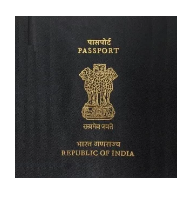
mPassport Seva Apps Passport Seva Project, being executed by Consular, Passport and Visa (CPV) division of the Ministry of External Affairs (MEA), Government of India, aims at providing all the Passport-related services to the Indian Citizens in a speedy, convenient and transparent manner. This is one of the largest projects of the Government of India under the National e-Governance Plan (NeGP) being executed in public-private-partnership mode with Tata Consultancy Services (TCS) as the private partner. The project is already operational and servicing citizens through 77 Passport Seva Kendras across India. MEA with a view to provide mobile enablement of public services, has launched a Mobile Application ‘mPassport Seva’ to offer a wide variety of services to smartphone users such as Passport application status tracking, locating the Passport Seva Kendra (PSK) and general information on various steps involved in obtaining a Passport. mPassport Seva has been installed betwee...

India Post Mobile Banking Apps

India Post Mobile Banking Apps Department of Posts brings you Mobile Banking Application which offers banking on the go. Why to visit Post Office when you can do banking from your comfort zone anytime, anywhere using your mobile device. Yes, Department of Posts new offering to its esteemed valued customers – India Post mobile banking application. Security Advice Department of Post never ask you to provide your MPIN, Transaction Password, User ID and OTP (One Time Password). Please be aware of such Phishing by fraudulent. How to Activate Mobile Banking Application 1. Download the Mobile Banking Application from Google Play store. Please don’t download from any other websites. 2. Open the application and click on Activate Mobile Banking button. 3. Enter the Security Credentials which you have provided with Department of Post. 4. No message Charges for OTP (One Time Password). We shall deliver you Activation OTP on your Registered Mobile Device. Please ente...

How to get @gov.in email address?

Do you need a @gov.in prestigious email address, then read through. @gov.in email has been provided only for government employee by following the below process. If you are a government employee (central or state) you can take a @Gov.in id. This id will be assigned to you at no cost. Individuals can fill up the  single user  form. State/Ministries/Departments can fill out the  bulk user  form if they wish to get multiple number of user's under their domain. Application form should be complete in all respect. Submit the filled application form to your respective NIC Coordinator in the NIC cell in your respective State/Ministry/Department. If you have a website of your respective department and wish to get the id's created as userid@(website name) , the same can be assigned to you. Accounts will be created as per the availability of the preferred Email ID. In case the preferred Email id is not available, NIC will assign the id as ...

Digital India - What's all about

Ok after lot of buzz Digital India week has been kick started by Hon. Prime Minister Modi today. So what is Digital India? Using electronic medium as the primary tool for all government seva / Service. What is the impact on you? If you are an educated you will be able to take full advantage and will be able to get all government service at your fingertips or on your mobile. I am really worried about uneducated people who will be again a victim of smart people who will act as an intermediate and make money for a free service. If the execution is perfect and user friendly then, even uneducated people can also get familiars as Facebook, Whatsup and other social networking tools. What are the service under Digital India Program ? 1. Digital Locker System aims to minimize the usage of physical documents and enable sharing of e-documents across agencies. The sharing of the e-documents will be done through registered repositories thereby ensuring the authenticity of the docum...

DIGILocker - Whats all about

Dedicated personal storage space, linked to each resident’s  Aadhaar  number. DigiLocker can be used to securely store e-documents as well as store Uniform Resource Identifier (URI) link of e-documents issued by various issuer departments. The e-Sign facility provided as part of DigiLocker system can be used to digitally sign e-documents. To know more on DigiLocker, Click here

DIGILocker

What is DigiLocker? Dedicated personal storage space, linked to each resident’s Aadhaar number. DigiLocker can be used to securely store e-documents as well as store Uniform Resource Identifier (URI) link of e-documents issued by various issuer departments. The e-Sign facility provided as part of DigiLocker system can be used to digitally sign e-documents. How does DigiLocker work? To Sign-up for the Digilocker you need to have a valid Aadhaar number registered with Aadhaar. Please type your Aadhaar number in the text box against “Enter Aadhaar Number”. You will be given two options for user authentication. “Use OTP” and “Use Fingerprint”. You can click on any one of the button. After clicking on “Use OTP”, an OTP (One Time Password) will be sent by UIDAI to the mobile number and email-id registered with your Aadhaar. Enter the OTP and click on ‘Validate OTP’ button. Once the OTP is validated the user is taken to set username/password page to complete sign up Af...